
Automated Roughing to Turbo Crossover
Application Note — SNAP Cart Mode
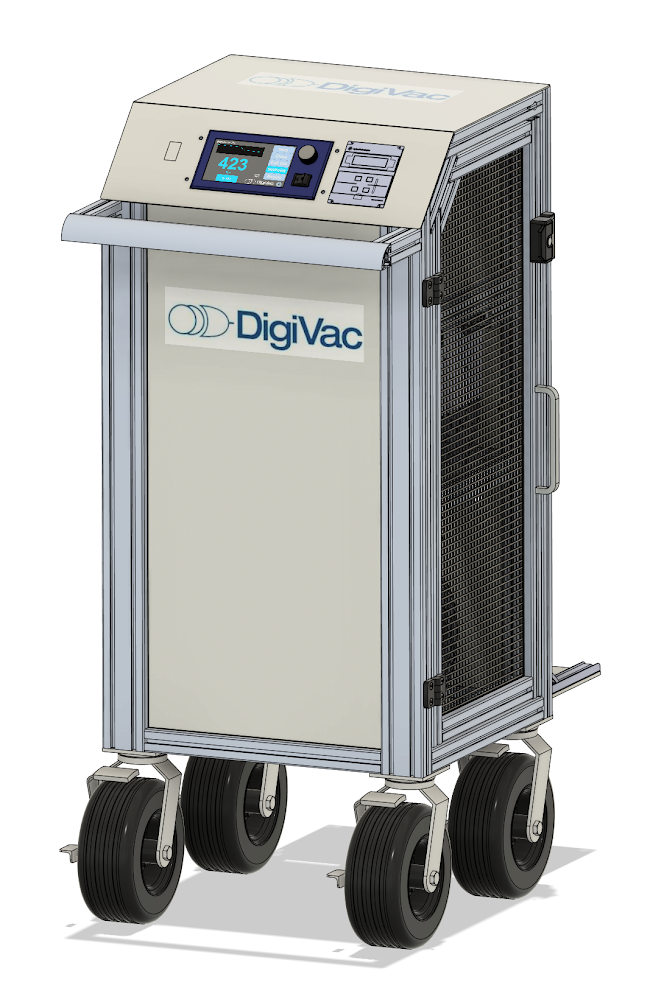
Achieving High Vacuum Control with SNAP
Your process starts at atmosphere and needs to reach a vacuum level deeper than a roughing pump can deliver on its own. The standard approach is to rough the chamber down with a backing pump, then bring a turbomolecular pump online once the pressure is low enough for the turbo to take over efficiently. Done by hand, this means watching a gauge and switching valves at just the right pressure — on every cycle. SNAP Cart mode automates that handoff, so the transition from roughing to turbo happens the same way every time, with no operator intervention.
How SNAP Cart Mode Works
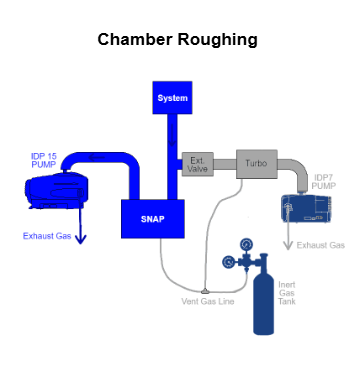
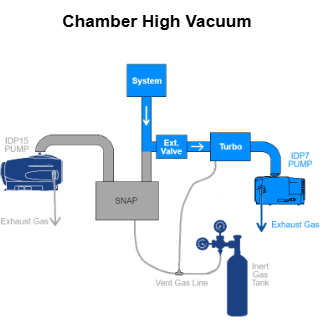
In SNAP Cart mode, the SNAP watches chamber pressure while your roughing pump evacuates the system from atmosphere. You set a single number — the crossover setpoint, the pressure at which you want to switch to the turbo. When the chamber reaches that pressure, the SNAP actuates the external valve to bring the turbo pump into the pumping path.
Because the crossover is triggered by an actual pressure reading rather than a timer, the handoff happens at the right moment regardless of chamber size, gas load, or how long the roughing phase takes. Read More about how Automated Roughing to Turbo Crossover happens in process with our Blog: Simplify Your Calibration Workflow with the Automated Calibration Station
What You’ll Need
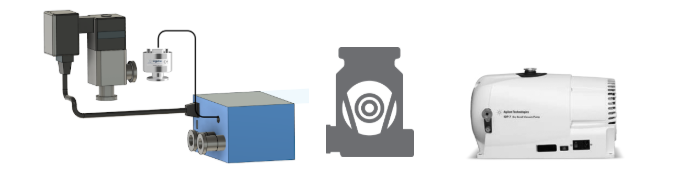
- A SNAP Vacuum Controller with the external valve option
- Your roughing pump (rotary vane or dry scroll)
- Your turbomolecular pump
- The SNAP external valve
- If your crossover pressure is below roughly 2 Torr: a DigiVac external wide-range sensor (DPP or DPCP). The SNAP’s internal 775i sensor controls down to about 2 Torr; an external sensor extends control to as low as 50 mTorr.
Setting Your Crossover Pressure Point
All configuration is done from the SNAP touchscreen:
- Go to Factory Settings > Motor Control Screen.
- Tap the valve mode button until it reads Cart. (The button cycles through Cart, Vent, and Pumpdown.)
- With Cart selected, a crossover button appears. Tap it and enter your crossover pressure.
- Save the settings.
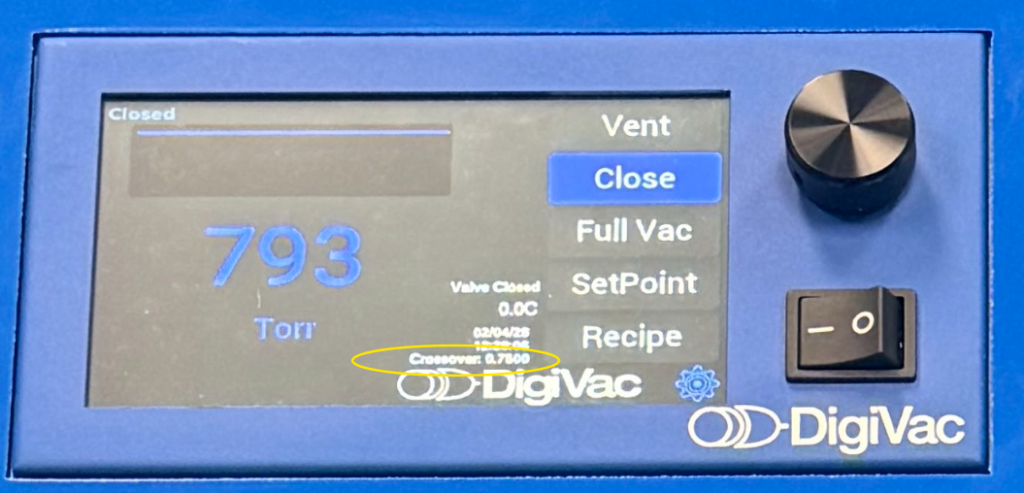
The SNAP is now set to hand off to the turbo at the pressure you chose. This variable is also displayed on SNAP’s Home Screen.
What Happens During a Pumpdown
- Start at atmosphere. The roughing pump begins evacuating the chamber.
- Roughing phase. The SNAP monitors pressure as it falls toward your crossover setpoint.
- Crossover. When the chamber reaches the crossover pressure, the SNAP actuates the external valve, bringing the turbo pump online.
- High-vacuum phase. The turbo pulls the chamber down to its final pressure while the roughing pump backs it.
Choosing Your Crossover Pressure
The best crossover pressure depends on your turbo pump — check its documentation for the recommended backing/crossover pressure. Setting the crossover too high can expose the turbo to more load than it’s designed to handle at speed; setting it too low means you spend extra time roughing when the turbo could already be doing the work. When in doubt, follow the turbo manufacturer’s specification.
Using It in a Recipe
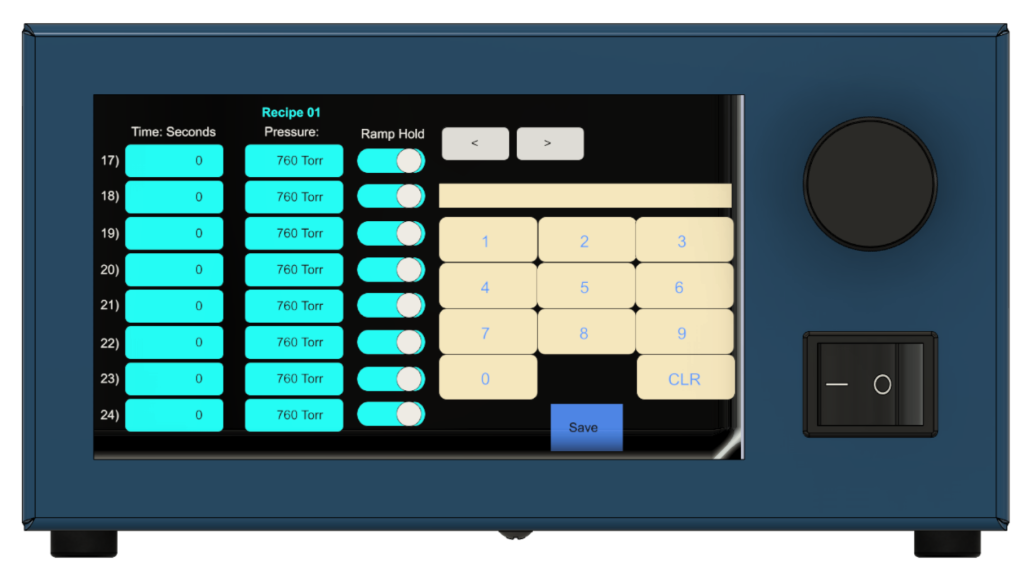
Once SNAP Cart mode is configured, the crossover behavior also works inside recipes. That lets you build an entire automated process — pump down from atmosphere, cross over to the turbo, reach high vacuum, hold, and so on — as a single repeatable recipe with up to 80 steps. To learn more about recipes see our Blog: How to Set a Recipe on SNAP.
Questions?
For help selecting a crossover pressure, choosing an external sensor, or configuring your cart, contact DigiVac technical support at [email protected] or call us at 732-765-0900.
